Why Is My Robot Vacuum Not Charging? 6 Proven Fixes
Why is my robot vacuum not charging was the question I found myself asking after noticing mine sitting perfectly docked, lights blinking normally, but the battery percentage hadn’t moved in two days. It’s a strange problem because everything looks fine on the surface, and I learned that this issue almost always comes down to a small handful of very specific, very fixable causes rather than a dead battery needing replacement.
Here’s what’s actually going on, starting with the most common cause.
Dirty Charging Contacts Are the Most Common Culprit
This is, without question, the number one reason why is my robot vacuum not charging, and it’s also the easiest fix on this entire list. Robot vacuums charge through small metal contact points on the bottom of the unit that touch matching contacts on the charging dock. Dust, pet hair, and general household grime build up on these contacts over weeks of use, gradually weakening the electrical connection until charging stops working entirely.
Fix: Unplug the dock, then use a dry cloth or cotton swab to clean both the contacts on the bottom of the vacuum and the contacts on the dock itself. Even contacts that look clean can have a thin film of residue affecting the connection, so wipe them more thoroughly than seems necessary.
This same kind of buildup issue affects suction power too — if your vacuum runs but doesn’t clean well, our guide on why is my vacuum losing suction covers that separately.
The Vacuum Isn’t Docking in the Exact Right Position
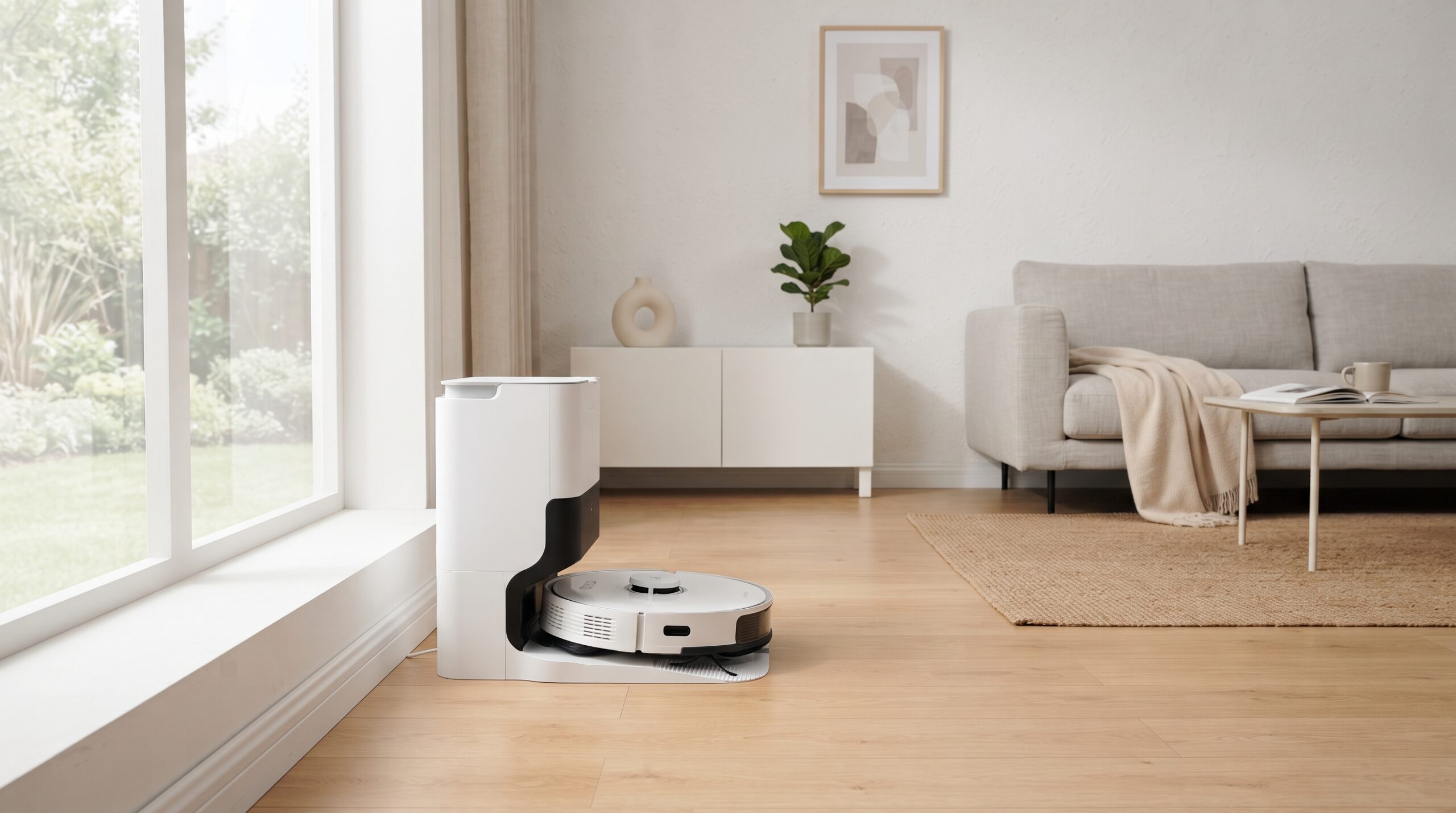
Robot vacuums need their charging contacts to align precisely with the dock’s contacts, and even a slight misalignment (the vacuum sitting a few millimeters off-center) can prevent charging even though it looks properly docked to the eye.
Fix: Manually remove the vacuum, then place it back onto the dock slowly, watching for it to sit flush and centered. Some models have an indicator light that changes when properly connected — check your vacuum’s manual for what that signal looks like on your specific model.
The Charging Dock Itself Has a Problem
If the vacuum’s contacts are clean and it’s docking correctly but still won’t charge, the issue might be with the dock rather than the vacuum. Test the dock’s power adapter and outlet the same way you would with any electronic device — plug something else into the same outlet to confirm it’s supplying power, and check that the adapter cable isn’t damaged or loose where it connects to the dock.
A Battery That’s Reached the End of Its Lifespan
Robot vacuum batteries, like most rechargeable batteries, degrade over time and typically last around 2-3 years with regular daily use. If your vacuum is within that age range and everything else checks out (clean contacts, proper docking, working dock), the battery itself may simply be failing to hold a charge anymore.
What this looks like: A failing battery often shows as the vacuum charging partially (say, reaching 20-30%) but never reaching full, or draining unusually fast even after what appeared to be a full charge cycle.
Software Glitches Affecting Charging Status
Occasionally, the issue isn’t actually about charging at all — it’s the vacuum’s internal system incorrectly displaying the charge status due to a software glitch. This is more common in models with companion apps and firmware updates.
Fix: Most manufacturers recommend a full reset (check your specific model’s manual for the exact button combination or process) as the first troubleshooting step for this. This clears temporary software errors without affecting your vacuum’s settings or maps in most cases.
Overheating Protection Preventing Charging
Some robot vacuums include a safety feature that prevents charging if the unit’s internal temperature is too high, often after an extended cleaning session in a warm room. This isn’t a malfunction — it’s the vacuum protecting its battery from potential damage.
Fix: Let the vacuum sit unplugged for 20-30 minutes to cool down before placing it back on the dock, particularly if it just finished a long cleaning cycle in a warmer part of the house.
Quick Diagnostic Order
- Clean the charging contacts on both the vacuum and dock thoroughly
- Manually redock the vacuum, checking for proper alignment
- Test the dock’s power adapter and outlet with another device
- Let the vacuum cool down if it just finished a cleaning session
- Perform a full reset to rule out a software glitch
- If the battery is 2+ years old and nothing else helps, it likely needs replacing
Working through this list resolves why is my robot vacuum not charging in the large majority of cases without needing to contact customer support.
When to Contact the Manufacturer
If you’ve cleaned the contacts, confirmed proper docking, tested the power source, and performed a reset without success, and the vacuum is still under warranty, this is a reasonable point to contact the manufacturer directly rather than purchasing a replacement battery yourself, since some models require specific tools or voided-warranty risks for battery swaps.
For general guidance on lithium-ion battery safety in household electronics, the U.S. Consumer Product Safety Commission provides useful information on their battery safety page.
Final Thoughts
Why is my robot vacuum not charging almost always comes down to something as simple as dirty contacts or slight misalignment on the dock — both fixable in under two minutes with no tools required. Work through the cleaning and redocking steps first, since they solve the overwhelming majority of charging complaints before you even need to consider a battery replacement.
FAQs
Q: How often should I clean my robot vacuum’s charging contacts?
Cleaning them every 2-4 weeks helps prevent charging issues before they start, especially in homes with pets or heavy carpet use that generates more dust and hair.
Q: How long do robot vacuum batteries typically last?
Most robot vacuum batteries last around 2-3 years with regular daily use before needing replacement, similar to other rechargeable battery-powered devices.
Q: Is it normal for a robot vacuum to refuse charging if it’s too hot?
Yes, this is a built-in safety feature in most models designed to protect the battery from damage, and charging typically resumes once the unit cools down.